Explore & discover
Desks
Start with the usable work surface, equipment and legroom. Compare desk widths and depths, storage positions and any height-adjustment range, then plan cables and access to sockets before choosing a layout.
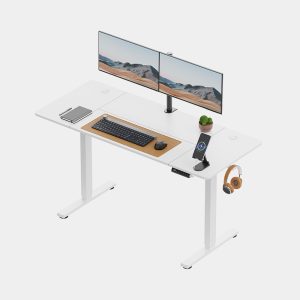
Compare usable working space
Width alone does not establish whether screens, keyboard and paperwork fit comfortably. Check depth, height range where applicable, legroom and cable access.
Three checks before choosing a desk
- Lay out your screen base, keyboard, mouse and regular paperwork within the proposed top dimensions. Include plugs behind the screen.
- Check the clear gap underneath, not just the overall width. Storage, crossbars and cable trays can reduce usable legroom.
- Test the chair pulled back as well as tucked in. For an adjustable desk, check both height settings and the full cable travel.
Use our illustrated home-office desk planning guide for a desktop-layout diagram, 100 versus 120cm examples and a six-measurement worksheet. Confirm the exact variant and current specification with the retailer before ordering.